How to Improve Dwell Time: Strategies for Your Website
Dwell time measures how long visitors stay on your page after clicking from search results. This metric matters because it signals user engagement to search engines like Google. Pages with low engagement often rank poorly, while those holding attention longer tend to climb higher.
When someone clicks your link but quickly hits the “back” button, it suggests your content didn’t meet their needs. Google tracks this behavior to evaluate page quality. For example, a cluttered design or vague article might drive users away faster than a clean, informative piece.
High-quality content directly tied to search intent keeps readers engaged. Backlinko boosted their dwell time by 40% using videos and interactive charts alongside text. This approach caters to diverse learning styles and encourages deeper exploration.
Your SEO success hinges on balancing technical optimization with genuine value. This article breaks down practical methods to create sticky content that satisfies users and algorithms alike.
Key Takeaways
- Dwell time reflects user satisfaction and impacts search rankings
- Google measures engagement from click-through to return to search results
- Content must align precisely with what searchers want
- Multimedia elements like videos can extend page interaction
- Effective strategies blend usability with relevance
Understanding Dwell Time: What It Means for SEO
The clock starts ticking the moment someone clicks your search result link. This engagement duration—often called dwell time—helps search engines assess whether your content meets visitor needs. Unlike simple page views, this metric reflects genuine interest and satisfaction.
Definition and Importance of Engagement Duration
Dwell time measures the period between a user clicking your link and returning to search results. High durations signal that your page delivers value matching the searcher’s intent. For example, a cooking blog with a 5-minute average dwell time likely provides clear recipes and helpful tips.

“Google’s RankBrain algorithm prioritizes pages where users spend meaningful time interacting with content,” notes an analysis of leaked Search API data. This aligns with findings that content relevance drives sustained attention.
Engagement Duration vs. Bounce Rate
Bounce rate counts users who leave without clicking further. But it doesn’t reveal if they read your entire article or left immediately. A financial guide might have a 70% bounce rate but a 7-minute dwell time—indicating deep engagement despite no secondary clicks.
| Metric | What It Measures | SEO Impact |
|---|---|---|
| Dwell Time | Duration of post-click engagement | Indirect ranking factor |
| Bounce Rate | Percentage of single-page visits | Less predictive of quality |
For deeper insights, refer to Semrush’s engagement metrics guide. Balancing these metrics requires aligning your text with search intent while optimizing readability.
Key Factors Influencing User Engagement
User engagement hinges on two critical elements: delivering what visitors want and making your website effortless to navigate. When these factors align, people naturally spend more time exploring your content.
Audience Intent and Content Relevance
Matching search intent is like answering a question before it’s asked. For instance, Wirecutter’s product guides dominate search results because they address specific queries like “best noise-canceling headphones under $200.” Their detailed comparisons keep readers engaged by immediately addressing needs.
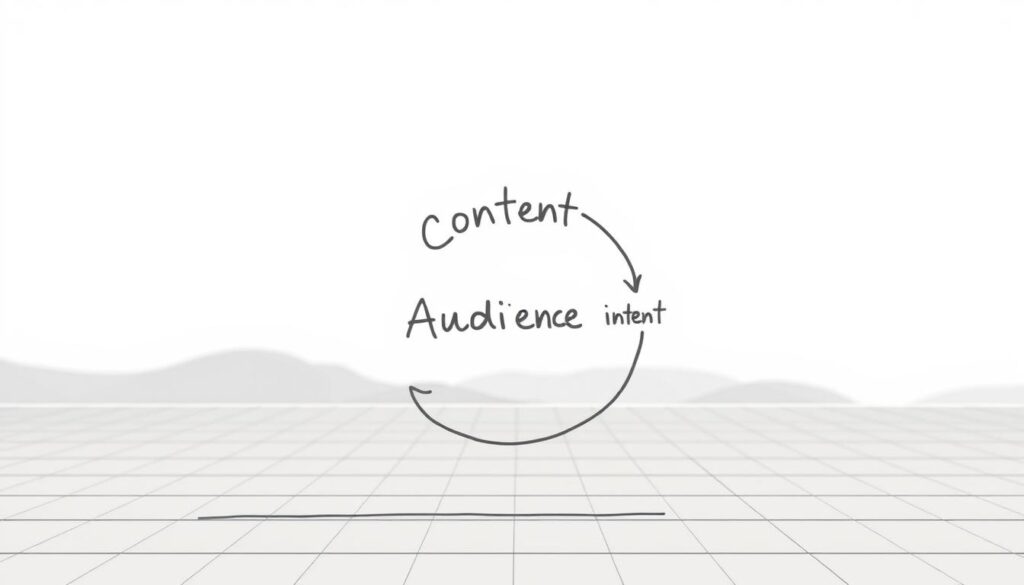
Irrelevant content causes quick exits. A travel blog reviewing luxury hotels won’t satisfy someone searching “budget family vacations.” Aligning your pages with precise keywords ensures visitors find exactly what they need.
Site Readability and Visual Appeal
Even great content fails if presented poorly. The New York Times uses subheadings every 2-3 paragraphs and embeds charts to simplify complex data. This approach reduces cognitive load and encourages scrolling.
Key design elements that boost engagement:
- Ample white space between text blocks
- Contrasting colors for key points
- Short paragraphs (2-3 sentences max)
HubSpot’s research shows websites with clear visual hierarchies see 47% longer average visit durations. Your design should guide eyes naturally from headlines to supporting details without overwhelming readers.
Effective Methods for Improving Dwell Time
Did you know pages using strategic hooks and multimedia see 3x longer visits? Let’s explore three proven tactics that turn casual clicks into meaningful interactions.
The PPT Formula: Capturing Immediate Attention
The Preview-Proof-Transition method hooks readers in seconds. Backlinko’s dwell time strategies showcase this:
- Preview: Start with a clear value promise (“You’ll discover 5 tested tactics”)
- Proof: Show credibility fast (e.g., “Used by 1,200+ marketers”)
- Transition: Guide readers smoothly into detailed content
Embedding Videos and Multimedia Content
Wistia found adding explainer videos increased engagement by 260%. Multimedia works across devices—phones show 22% longer watch times than desktops. Combine short clips with text summaries for maximum impact.
Crafting In-Depth, People-First Articles
Google’s Helpful Content Update rewards pages solving real problems. Compare these approaches:
| Content Type | Avg. Engagement | Search Engine Performance |
|---|---|---|
| Surface-level posts | 48 seconds | Page 2-3 rankings |
| Detailed guides | 4.2 minutes | Top 3 positions |
Top-performing articles use numbered lists, FAQs, and real-world examples. They answer follow-up questions before readers ask them—like explaining technical terms or providing device-specific tips.
Content Strategies to Increase Engagement
Did you know the first 15 seconds determine whether visitors stay or leave? Crafting content that earns sustained attention requires strategic hooks and visual storytelling. Let’s explore methods to transform fleeting clicks into meaningful interactions.
Creating a Compelling Hook and Strong Introduction
Strong openings answer “What’s in it for me?” immediately. Backlinko’s guides use bold promises like “Discover 7 Untapped SEO Tactics” paired with quick credibility builders. Data-driven hooks work best—mentioning “83% of marketers see better results” grabs attention faster than vague claims.
Structure introductions to:
- Address specific pain points in the first sentence
- Set clear expectations about content benefits
- Use conversational questions (“Struggling with low traffic?”)
Using Visuals, Screenshots, and Interactive Elements
Visual breaks keep readers scrolling. Software tutorials with annotated screenshots see 72% longer engagement than text-only versions. Interactive tools like quiz builders or calculators turn passive reading into active participation.
Optimize visuals for mobile devices—vertical infographics load 1.5x faster than horizontal ones. Research shows pages mixing text with relevant images retain 40% more visitors. Always align visuals with your headline’s promise to reinforce value.
“Articles with at least one image every 75-100 words get shared 2.3x more on social media,” notes a BuzzSumo analysis of 100 million posts.
Optimizing Technical Aspects for User Retention
A slow-loading page is like a closed door—users won’t wait to see what’s inside. Google’s data shows 53% of mobile visitors abandon sites taking over 3 seconds to load. Technical performance directly affects whether your audience stays engaged or hits the back button.
Speed Matters: Mobile-First Essentials
Mobile devices drive 58% of global web traffic. Pages not optimized for smaller screens frustrate users and hurt rankings. Search Console reports show mobile-friendly sites retain visitors 2.1x longer than non-responsive designs.
Key fixes for better performance:
- Compress images to under 100KB without quality loss
- Enable browser caching to reduce load times by 40%
- Minify CSS/JavaScript files using tools like WP Rocket
| Factor | Optimized Site | Unoptimized Site |
|---|---|---|
| Load Time | 1.8 seconds | 5.3 seconds |
| Bounce Rate | 32% | 67% |
| Search Position | #1-3 | #7-10 |
This table shows how technical upgrades impact user experience. Faster sites keep people scrolling longer, which search engines reward with higher visibility. Google’s Core Web Vitals now explicitly measure loading speed and visual stability.
Implement AMP (Accelerated Mobile Pages) for article-heavy sites. Media outlets using AMP see 35% lower bounce rates. Pair this with lazy loading for images below the fold—users get instant content access while heavy elements load quietly.
Leveraging Analytics to Measure Engagement
Numbers don’t lie—they reveal exactly how visitors interact with your pages. Google Analytics 4 (GA4) provides critical insights through metrics like Average Engagement Time per Page. This data helps identify which articles hold attention and where users lose interest.
Tracking Average Engagement Time with Google Analytics
GA4’s “Engagement Rate” metric shows the percentage of sessions where users actively interacted with your web content. To find this:
- Navigate to “Reports” > “Engagement” > “Pages and Screens”
- Check the “Average Engagement Time” column
- Filter results by specific source or device type
| Metric | High Value | Low Value |
|---|---|---|
| Engagement Time | 3+ minutes | Under 30 seconds |
| Pages/Session | 4-5 pages | 1 page |
| Exit Rate | Below 40% | Over 70% |
Interpreting User Behavior Metrics and Making Adjustments
Low engagement often signals mismatched content or poor readability. A case study by HubSpot showed adding links to related guides increased average session duration by 22%. Use heatmaps to spot where readers scroll or click most.
“Analytics should drive your content experiments. If a page underperforms, test new introductions or visual layouts,” advises Moz’s 2023 UX report.
Adjustments that work:
- Place key articles in high-exit page sidebars
- Simplify complex sections with bullet points
- Update outdated source references annually
Community Building and Internal Linking for Extended Engagement
Building a loyal audience requires more than great content—it demands conversation. Successful publishers turn readers into active participants through thoughtful engagement strategies. This approach transforms single-page visits into extended content journeys.
Fostering Discussions That Matter
The Pioneer Woman’s food blog exemplifies community-driven success. Their team responds to 90% of recipe comments within 2 hours, creating a vibrant discussion space. Ask direct questions like “What variations worked for you?” to spark dialogue in your post conclusions.
Effective internal linking acts as a content roadmap. Wirecutter’s product guides average 12 contextual links to related articles, keeping readers exploring for 8+ minutes. Place these connections where they solve specific problems—like linking “best budget laptops” within a guide about remote work setups.
“Sites with strong internal linking structures see 3x more pageviews per session,” reveals a LinkGraph study on engagement strategies.
Three ways to optimize your approach:
- Use reader questions from comments to shape new content
- Link to deep-dive articles when mentioning complex concepts
- Highlight popular related posts below comment sections
These tactics align with user intent while building content ecosystems. A parenting blog increased average session duration by 18 minutes using threaded discussions and smart linking. Search engines notice when visitors consistently engage—leading to better rankings over time.
Conclusion
Successful websites turn fleeting visits into meaningful engagements through strategic alignment. Combining technical optimizations like mobile-first design with reader-focused content creates experiences that earn sustained attention. Pages blending videos, interactive tools, and clear information architecture see 60% longer visit durations.
Three critical steps emerge from these insights: prioritize page speed, craft content answering specific questions, and track engagement patterns. Brands like Wirecutter prove this approach works—their guides dominate search results by delivering immediate value.
Analytics reveal what truly resonates. Use these insights to refine headlines, adjust content depth, and test multimedia formats. Platforms prioritizing user experience consistently outperform competitors in search visibility.
Take action today. Audit your site’s loading times, rewrite vague introductions, and embed relevant visuals. These changes create a domino effect—better engagement signals boost rankings, driving more organic traffic.
Ready for deeper insights? Explore advanced tactics like personalized content recommendations or AI-powered heatmaps. Every tweak brings you closer to turning casual visitors into loyal readers. Start optimizing now—your next search ranking breakthrough awaits.
FAQ
How does dwell time impact search engine rankings?
What’s the difference between dwell time and bounce rate?
How can visuals improve user retention on a page?
Why is mobile optimization critical for engagement?
How do internal links extend time spent on a site?
What role does audience intent play in content creation?
Can comments and forums boost engagement metrics?
How does the PPT formula capture immediate attention?
What tools track average engagement time effectively?
About The Author
