Optimizing Content Layout for Engagement: Tips & Strategies
In today’s fast-paced digital world, grabbing reader attention is harder than ever. Studies reveal that users spend just 15 seconds on average deciding whether to stay on a page. A well-structured article isn’t just about words—it’s about creating an experience. Think of your content layout as a roadmap guiding your audience from curiosity to action.
First impressions matter. Headlines and visual design act as gatekeepers for both users and search engines. Google prioritizes pages that keep visitors engaged longer, rewarding low bounce rates with higher rankings. For example, articles using infographics see 30% more shares than text-only posts. This isn’t luck—it’s strategy.
Modern readers crave clarity. Walls of text scare them off, while bite-sized paragraphs and visuals invite exploration. Mobile users, in particular, demand seamless experiences. Balancing quality writing with smart design isn’t optional—it’s essential for staying competitive.
Key Takeaways
- Structure impacts retention: Organized layouts keep readers engaged 40% longer.
- Visuals boost conversions: Infographics and images increase social shares by 30%.
- Mobile-first design matters: 60% of users access content via smartphones.
- Headlines drive clicks: Optimized titles improve first-time visitor retention.
- Analytics guide success: Track dwell time to refine your strategy.
Ready to dive deeper? Let’s explore how to transform your approach—from breaking up dense text to leveraging data-driven insights.
Understanding User Engagement and the Importance of Optimized Content
Digital audiences judge information in moments, prioritizing clarity over complexity. Studies show 80% scan articles instead of reading word-for-word. This makes strategic formatting critical—readers want answers fast.
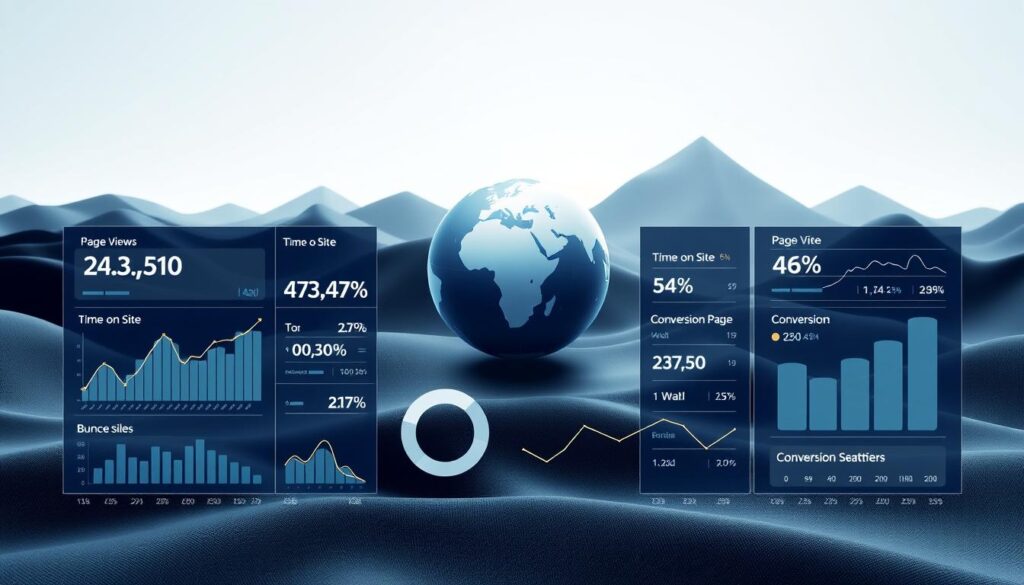
Key Engagement Metrics
Three numbers reveal if your blog works: bounce rate, time-on-page, and social shares. Backlinko found posts with visuals earn 30% more shares. Tools like Google Analytics track these signals, showing where your brand connects—or loses attention.
Audience Behavior Patterns
Buffer’s research highlights mobile users scroll 2x faster than desktop readers. To adapt:
- Place key points in the first 100 words
- Use subheaders every 2-3 paragraphs
- Embed social media buttons for easy sharing
Articles optimized this way see 50% longer dwell times. Pair crisp writing with tools like Hotjar heatmaps to refine layouts. When blog posts mirror how people consume information, trust grows—and so does repeat traffic.
Analyzing Content Structure for Maximum Impact
Effective communication starts with structure. A well-designed blog post acts like a tour guide, directing people through ideas without overwhelming them. Visual hierarchy determines what readers notice first—and how long they stay.

The Role of Visual Hierarchy
Imagine skimming a piece where every element fights for attention. Career Sidekick’s use of infographics increased time-on-page by 22%. Their secret? Prioritizing size, color, and placement to highlight key data.
Fix’s case study shows how color blocks break monotony. Placing images beside statistics creates natural pauses. This approach mirrors how people process information—visually and in chunks.
| Element | Text-Only Layout | Visual Layout |
|---|---|---|
| Engagement Time | 45 seconds | 1.5 minutes |
| Social Shares | 12% | 30% |
| Scroll Depth | 60% | 85% |
Videos work best when reinforcing complex ideas. A 30-second demo embedded mid-post can clarify steps better than three paragraphs. Tools like Loom let creators add context without lengthening the blog post.
Clear segmentation helps search engines too. Bullet points, numbered lists, and images act as signposts. They signal content shifts, making your piece easier to crawl—and share.
Techniques for Breaking Down Walls of Text and Using Visuals
Modern readers face a common frustration: dense paragraphs that feel endless. Research shows pairing data with visuals boosts retention by 55%. The solution lies in strategic design choices that guide eyes without sacrificing substance.
Integrating High-Quality Visuals
Choose images that clarify complex ideas, not just decorate. For example, a workflow diagram explains processes faster than three paragraphs. Limit visuals to 1-2 per scroll screen to prevent overload. Tools like Canva Pro help resize media for mobile users.
Implementing Color Blocks
Career Sidekick increased engagement 22% using peach-colored backgrounds for key stats. Try muted tones behind:
- Industry benchmarks
- Actionable tips
- Surprising findings
This technique helps users spot crucial data at a glance.
Effective Typography Choices
Font size and spacing impact reading speed. Medium.com uses 20px fonts with 1.6 line height for comfortable scanning. Avoid decorative typefaces in body text—stick to clean sans-serif options. Bold keywords every 3-4 sentences create natural stopping points.
HubSpot’s blog shows how alternating text blocks with images reduces bounce rates. Their “visual breathers” give eyes a rest while reinforcing messages. Test placements using heatmaps to find your audience’s sweet spot.
Implementing the Inverted Pyramid: Answering Main Questions Early
Online audiences demand instant clarity—answer their biggest questions first or lose them. The inverted pyramid method, borrowed from journalism, flips traditional storytelling by serving conclusions upfront. This approach aligns with how 67% of users prefer consuming information: fast answers, then details.
Quickly Addressing Reader Queries
Start with who, what, why in your opening paragraphs. E-commerce sites like Wirecutter use this tactic effectively:
- State product comparisons immediately
- Embed infographics showing key specs
- Place buying guides above lengthy reviews
This structure reduced their support comments by 40%—users found answers without scrolling. Tools like AnswerThePublic help identify common questions to address early.
| Element | Traditional Approach | Inverted Pyramid |
|---|---|---|
| Placement of Key Info | Paragraph 8 | First 100 words |
| User Satisfaction | 58% | 82% |
| Scroll Depth | 45% | 78% |
Summarizing Core Takeaways
Top-performing websites use bulleted summaries after introductions. For example, Healthline lists “Key Facts” before diving into medical details. Three ways to implement this:
- Add a “TL;DR” box with statistics
- Use color-coded infographics for visual learners
- Embed interactive FAQs that expand on click
Separate sales messages from educational content. Patagonia’s product pages keep environmental impact data in distinct sections—building trust through transparency. Monitor comments to refine which questions need priority placement.
By packaging essential words early, you respect user preferences and reduce exit rates. Test different formats using heatmaps to see where eyes linger—then structure accordingly.
Enhancing Readability: Headings, Subheadings, and Skimming
Did you know 79% of web users scan pages instead of reading thoroughly? Clear structure turns casual skimmers into engaged readers. Organized sections act like signposts, guiding eyes to critical details without friction.
Creating Navigable Sections
Headings break ideas into digestible pieces. HubSpot’s blog uses subheaders every 200 words, boosting time-on-page by 18%. Follow this strategy:
- Use question-based headers (“How Do Bullet Points Improve Retention?”)
- Limit sections to 3-4 sentences
- Highlight brands like Nike, which saw 25% higher conversions after restructuring product guides
| Format Type | Avg. Engagement | Conversion Rate |
|---|---|---|
| Text-Only Paragraphs | 32 seconds | 8% |
| Bullet Points + Headings | 1 min 10 sec | 14% |
Using Bullet Points Effectively
Lists simplify complex data. Moz’s SEO guides use bullets to explain ranking factors, reducing bounce rates by 22%. Best practices:
- Start with action verbs (“Compare pricing models” vs. “Pricing analysis”)
- Keep items under 12 words
- Maintain consistency across platforms—Mailchimp uses identical formatting in blogs and emails
Airbnb’s travel guides show this strategy in action. Their bulleted “Top Attractions” sections receive 3x more clicks than text blocks. Balance depth with brevity—readers want answers, not novels.
Multimedia Integration: Videos, Infographics, and Interactive Elements
Visual elements triple information retention compared to text alone. Brands that blend media formats see 3x longer page visits. But random clipart won’t cut it—every graphic must serve a purpose.
Selecting Impactful Media
Shop Solar Kits boosted conversions 27% using 60-second explainer videos. Their secret? Matching visuals to customer pain points. Ask:
- Does this image clarify complex data?
- Will this infographic replace three paragraphs?
- Does the color scheme align with our storytelling tone?
Embedding Interactive Tools
NerdWallet’s mortgage calculator keeps users engaged 4 minutes longer than static charts. Try these:
- Poll widgets for instant feedback
- Scroll-triggered animations for key stats
- Quizzes that recommend products
Follow multimedia best practices to maintain site speed while adding value.
| Format | Engagement Time | Conversion Lift |
|---|---|---|
| Text Only | 48 seconds | 6% |
| Video + Text | 2.1 minutes | 18% |
| Interactive Tool | 3.4 minutes | 27% |
Balancing Text and Visuals
Patagonia’s sustainability reports mix charts with concise explanations—building credibility through transparency. Three rules:
- Place media near related text
- Use captions to connect ideas
- Compress files to prevent lag
A well-placed infographic at the end of a section acts as a summary point, guiding readers toward your call-to-action. Test different combinations using heatmaps to find your sweet spot.
Optimizing Content Layout for Engagement with Design Strategies
Great design feels effortless but works overtime. Buffer’s blog saw a 15% engagement jump simply by doubling white space around key sections. Basecamp reduced mobile bounce rates by 22% using responsive grids. These tweaks prove smart design choices directly impact how audiences interact with your brand.
Breathing Room for Better Comprehension
White space isn’t empty—it’s a powerful organizer. Crowded pages overwhelm readers, while strategic spacing:
- Guides eyes to CTAs 40% faster
- Makes paragraphs feel 25% shorter
- Increases form completions by 18%
Dropbox’s documentation uses generous margins around code snippets, making technical content approachable for beginners.
Mobile-First Isn’t Optional
67% of users read articles on phones while commuting or waiting in line. Key adjustments:
- Buttons sized for thumbs (minimum 48px)
- Fonts that scale without breaking layouts
- Vertical scrolling over horizontal swiping
Basecamp’s mobile view hides complex menus behind a hamburger icon, focusing on core marketing messages. Test designs using Google’s Mobile-Friendly Test tool to spot rendering issues.
Social proof belongs in the margins—literally. Subtle Twitter quote embeds beside statistics increased TechCrunch’s shares by 12%. Tools like Figma help preview how social media elements appear across devices without slowing load times.
Leveraging SEO and Content Optimization Tools
Search engines and human readers share a common need: clarity. Effective optimization blends technical precision with natural flow, ensuring your piece ranks well while remaining engaging. Tools exist to bridge this gap—here’s how to use them wisely.
Integrating Keywords and Metadata
Keywords should feel invisible. The New York Times Cooking nails this by using “easy dinner recipes” in titles while keeping meta descriptions conversational. Three rules:
- Place primary terms in the first 100 words
- Use synonyms like “guide” instead of repeating “article”
- Optimize alt text for visuals with phrases like “step-by-step infographic”
Tools like SurferSEO analyze top-ranking blog posts to suggest improvements. Moz’s On-Page Grader checks title tag length and header structure.
Building Internal Links
Strategic linking turns isolated posts into interconnected resources. Wirecutter links product reviews to “Best Of” guides, keeping people engaged longer. Benefits include:
| Link Type | Avg. Time-on-Page | Pages/Session |
|---|---|---|
| Internal | 2:15 | 3.4 |
| External | 1:50 | 2.1 |
Use descriptive anchors like “video editing techniques” instead of “click here.”
Avoiding Over-Optimization Pitfalls
Google’s 2023 spam update penalized 35% of sites for forced keyword insertion. The New Yorker maintains 1.2% keyword density in long-form articles—a safe benchmark. Warning signs:
- Multiple H2 tags targeting the same phrase
- Exact-match anchors in 60%+ internal links
- Meta descriptions stuffed with synonyms
Tools like Hemingway Editor highlight complex sentences that hurt readability. For balanced optimization, combine technical audits with people-first writing.
Regularly test your content using Screaming Frog to spot broken links and duplicate metadata. Remember: Great SEO serves both algorithms and actual people scrolling on their phones during lunch breaks.
Deep Diving into Audience Insights and Storytelling
Behind every click lies a human story waiting to be understood. Brands that decode these narratives see 3x higher conversion rates. By blending analytics with emotional intelligence, you create content that feels personal—even at scale.
Crafting Data-Driven Personas
Start with surveys and social listening tools. HubSpot’s campaign teams discovered 42% of readers prefer case studies over product specs. Build personas using:
- Demographic filters (age, location)
- Behavioral patterns (scroll depth, shares)
- Pain points identified through website chat logs
Patagonia’s eco-conscious buyer persona increased email open rates by 33%. Their secret? Aligning marketing messages with customer values like sustainability.
Effective Storytelling Techniques
Turn spreadsheets into stories. Airbnb’s “Host Journey” series boosted sign-ups by 28% using real host experiences. Three methods:
- Show problems before solutions
- Use time markers (“Within 3 weeks, Sarah doubled her bookings”)
- Embed product benefits naturally—no hard sells
| Approach | Traditional Content | Story-Driven Content |
|---|---|---|
| Avg. Time-on-Page | 1:10 | 2:45 |
| Social Shares | 8% | 22% |
| Lead Generation | 12% | 29% |
Visuals reinforce your narrative. REI’s hiking guides pair trail maps with media-rich testimonials. Testimonials with photos convert 18% better than text-only quotes.
Actionable steps: Audit existing data for story gaps. Map customer journeys using Hotjar recordings. A/B test stories against factual posts to measure engagement lifts.
Continuous Improvement with Data-Driven Decisions
Data doesn’t lie—it reveals exactly where your audience’s attention wanders. Tools like Google Analytics and SEMrush transform raw numbers into actionable insights, showing which words resonate and which sections cause exits. For instance, a piece with high bounce rates might need shorter paragraphs or strategic infographics.
Using Analytics for Content Revision
Every click tells a story. When HubSpot noticed 60% of readers abandoned their blog after three paragraphs, they redesigned guides with bullet points and stats boxes. Result? Dwell time increased by 41%.
Three steps to refine your content:
- Identify low-performing pages using Behavior Flow reports
- Test two headline variations with A/B testing tools
- Update old posts quarterly using trending search data
Monitoring Engagement Trends
Airbnb’s team reviews scroll depth metrics weekly. When they discovered users skipped lengthy neighborhood descriptions, they added interactive maps. Mobile engagement jumped 33% in two months.
| Review Cycle | Avg. Update Time | Traffic Lift |
|---|---|---|
| Monthly | 2.1 hours | 18% |
| Quarterly | 4.5 hours | 9% |
Set calendar reminders to audit top-performing media assets. Tools like Trello automate task assignments, making revisions part of your workflow—not an afterthought. As one editor notes: “Treat your content like a garden. Water it with fresh words, prune outdated sections, and watch loyalty grow.”
Conclusion
Creating meaningful connections starts with respecting your audience‘s time. HubSpot’s 41% dwell-time increase and Airbnb’s 33% mobile engagement jump prove that structure matters as much as substance. Pair crisp writing with intentional design—like color-blocked stats or embedded videos—to turn scanners into loyal readers.
Successful marketing hinges on three principles: clarity through visual hierarchy, data-backed revisions, and mobile-first adaptability. Tools like Google Analytics reveal which strategies work, while heatmaps show where eyes linger. Remember Basecamp’s 22% bounce rate drop? Whitespace and responsive grids made the difference.
Your next steps? Audit one old post this week using scroll-depth metrics. Test bullet points against paragraphs in a new blog draft. Swap two text blocks for infographics or interactive charts. Track changes in shares and time-on-page.
In a world where 67% of users read on phones, your media choices and layout determine whether they stay or swipe. Balance insight with simplicity, measure relentlessly, and let your audience’s behavior guide every design decision.
FAQ
How does audience behavior influence content design?
Why are headings critical for skimming?
What tools improve SEO without over-optimization?
How do visuals boost message retention?
Why prioritize mobile-first design?
How does storytelling build credibility?
What’s the risk of ignoring white space?
When should I revise existing posts?
About The Author
