How to Use Google Posts for Local SEO | Boost Local SEO
Every brick-and-mortar business needs tools to stand out in today’s competitive digital landscape. One powerful, often underused feature? Google Posts. These short, dynamic updates let you showcase promotions, events, and news directly in local search results. When optimized, they can significantly enhance visibility and attract nearby customers.
This guide breaks down practical strategies to maximize their impact. You’ll learn how to craft compelling content, align posts with broader SEO efforts, and track performance. Whether you’re announcing a sale or sharing seasonal hours, consistency here builds trust and keeps your brand top-of-mind.
Why does this matter? Active profiles with fresh updates rank higher in local searches. By reducing reliance on paid ads, businesses can stretch budgets further while amplifying engagement. Plus, integrating these posts with your Google Business Profile creates a cohesive online identity that drives conversions.
Key Takeaways
- Google Posts help businesses highlight updates and promotions in search results.
- Regularly updating your profile improves local search rankings.
- Aligning posts with SEO goals boosts visibility and customer engagement.
- Active profiles reduce dependency on costly advertising campaigns.
- Combining posts with a Google Business Profile strengthens online presence.
Introduction to Google Business Profiles and Posts
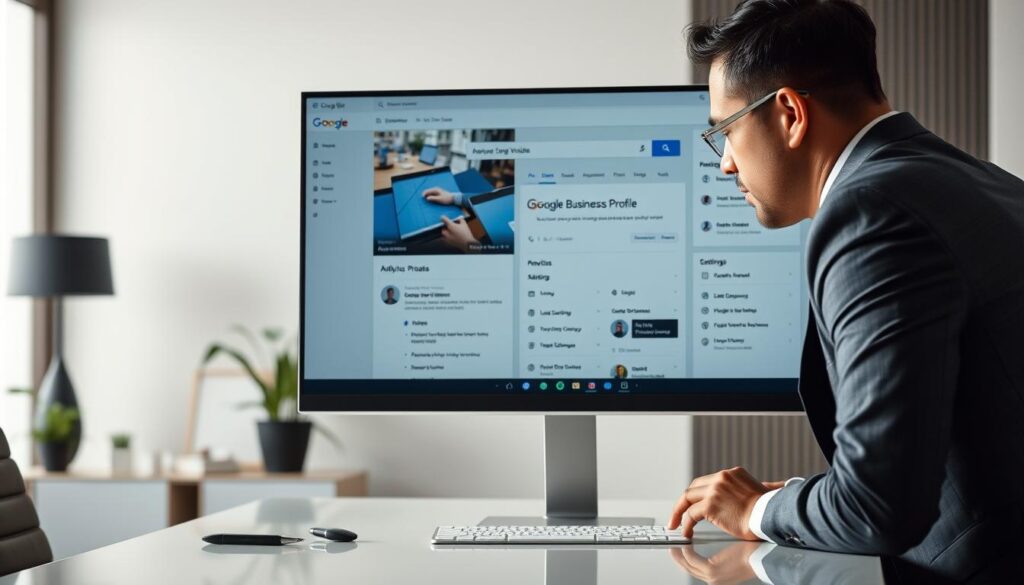
Modern consumers rely on accurate, up-to-date details when deciding where to spend their money. A Google Business Profile serves as your digital storefront, displaying essential information like hours, contact details, and customer reviews. Maintaining this profile ensures potential clients find reliable data quickly.
Types of Content That Drive Engagement
The platform allows three primary post formats to share time-sensitive material:
| Type | Purpose | Example |
|---|---|---|
| Offers | Promote discounts | “20% Off Summer Collection” |
| Updates | Share news | “New Weekend Brunch Menu” |
| Events | Highlight activities | “Live Music Every Friday” |
Optimizing Profile Accuracy
Fresh content signals activity to search algorithms, improving visibility. Businesses should make sure their profiles include:
- Current operating hours
- High-resolution photos
- Responses to customer questions
To create a post, log into your account, select “Add update,” and choose a format. Include clear calls-to-action and vibrant visuals. Regular updates (weekly works best) keep your audience informed while boosting search performance.
Benefits of Incorporating Google Posts
Maximizing online visibility doesn’t always require a hefty budget. Strategic use of dynamic updates can elevate your brand’s presence while keeping costs low. Let’s explore how these tools create tangible advantages for businesses aiming to connect with their communities.
Boosting Engagement and Local Visibility
Regularly sharing updates keeps your audience informed and interested. For example, a bakery highlighting daily specials saw a 40% increase in foot traffic within two months. Why? Fresh content appears prominently in maps and local queries, making it easier for nearby shoppers to discover you.
Key benefits include:
- Higher click-through rates: Posts with clear calls-to-action drive 25% more visits to websites.
- Improved rankings: Active profiles often appear above competitors in search results.
- Trust-building: Consistent updates signal reliability, encouraging repeat visits.
“Businesses updating weekly see 30% more engagement than those posting monthly.”
Reducing Ad Spend with Organic Traffic
Why pay for clicks when you can earn them? A retail store reduced paid ad costs by 18% after prioritizing organic updates. Search algorithms favor profiles that frequently share relevant content, leading to free exposure in results.
This approach also:
- Extends marketing budgets by attracting clicks without bidding wars.
- Strengthens SEO efforts through keyword-rich descriptions and localized phrases.
- Encourages word-of-mouth referrals via shareable offers and events.
google posts for local seo
Standing out in neighborhood searches requires more than just listing your business—it demands strategic communication. By tailoring updates to resonate with nearby audiences, you can turn casual browsers into loyal patrons.
Amplifying Search Results and Local Reach
Regularly publishing fresh content signals to search algorithms that your business is active and relevant. For instance, a coffee shop adding weekly specials saw a 35% boost in map views within six weeks. Including neighborhood names or landmarks in descriptions helps algorithms connect your posts to specific areas.
| Post Element | Impact | Example |
|---|---|---|
| Location keywords | Targets hyperlocal searches | “Downtown Yoga Classes” |
| Time-sensitive offers | Creates urgency | “Weekend Sale: 10AM-2PM” |
| Event highlights | Drives foot traffic | “Art Walk Participation” |
Driving Conversions with Strong Call-to-Actions
Clear instructions guide users toward meaningful actions. Phrases like “Stop by before 5PM” or “Download our app” reduce hesitation. A boutique using “Shop Now—In-Store Exclusive” in posts reported a 22% increase in same-day visits.
Effective CTAs often include:
- Specific timeframes (“Limited until Friday”)
- Benefit-driven language (“Save 15% today”)
- Geographic cues (“Two blocks from Main Station”)
Pair these tactics with an optimized Business Profile to create a seamless journey from discovery to purchase. Testing different phrasing in updates helps identify what resonates best with your community.
Setting Up and Publishing Posts on Your Google Business Profile
Establishing a strong digital presence starts with mastering your profile’s core features. Creating impactful updates requires understanding both the technical process and strategic approach. Let’s break down the essentials for crafting and distributing content effectively.
Step-by-Step Guide to Creating a Post
Follow these steps to publish updates that grab attention:
- Log into your account and navigate to the “Updates” tab.
- Click “Add update” and select your preferred format (offer, event, or general post).
- Fill in details like headlines, descriptions, and dates. Include a clear call-to-action.
- Upload high-quality visuals and verify your phone number through the profile settings.
- Preview the post and click “Publish” to make it live in search results.
Manual Posting vs. Bulk Publishing for Multi-location Strategies
Managing multiple locations? Choose the right method:
| Method | Best For | Process | Tools |
|---|---|---|---|
| Manual | Single locations | Hand-crafted updates | Native dashboard |
| Bulk | 5+ locations | Centralized scheduling | Listing management software |
Bulk publishing saves time—brands with 10+ locations report 50% faster workflow efficiency. Always ensure profile information like website links and contact numbers match across all listings. Tools like Yext or Reputation.com help maintain consistency while scaling efforts.
Crafting Compelling Content for Google Posts
Effective communication in digital spaces hinges on clarity and visual appeal. To make your updates stand out, balance keyword-rich text with eye-catching media. This approach keeps audiences engaged while satisfying search algorithms.
Optimizing Descriptions and Visuals
Start with concise descriptions under 300 characters. Include location-based phrases like “downtown lunch specials” or “Westside weekend deals” to boost relevance. For SEO, integrate primary keywords naturally in the first sentence.
Visuals should meet these standards:
| Element | Best Practice | Avoid |
|---|---|---|
| Image Size | 720px width (JPG/PNG) | Blurry or stretched files |
| Text Overlay | Clear offer details | Phone numbers |
| Example | “Family Dinner Deal $49” | “Call 555-1234 for info” |
Avoiding Common Content Pitfalls
Many businesses undermine their efforts by including contact details in images. Search algorithms can’t read phone numbers embedded in graphics, making posts less discoverable. Overusing symbols like $$$ also triggers spam filters.
Instead:
- Use high-resolution photos showing products in use
- Replace “Limited Offer!!!” with “Save 20% Through Friday”
- Verify all links work before publishing
A fitness studio increased click-through rates by 33% after removing address abbreviations from images. Focus on clean designs with minimal text overlays for maximum impact.
Best Practices for Post Timing and Frequency
Timing transforms ordinary updates into powerful engagement tools. When audiences see your content matters just as much as what it says. Aligning your schedule with customer habits ensures visibility when decisions are made.
Optimal Posting Times for Updates, Offers, and Events
Data shows posts published between 10 AM and 2 PM on weekdays earn 40% more clicks than those shared after 5 PM. For example, a home improvement store saw a 28% increase in weekend appointments by promoting Saturday workshops every Thursday morning.
| Post Type | Best Days | Best Hours | Example |
|---|---|---|---|
| Offers | Thurs-Fri | 11 AM – 2 PM | “Weekend Flash Sale” |
| Updates | Tues-Wed | 9 AM – 12 PM | “New Menu Launch” |
| Events | Mon-Thurs | 1 PM – 4 PM | “Summer Festival Details” |
Avoid early-morning (before 8 AM) or late-night posts—these receive 60% fewer interactions. Customers often check for updates during lunch breaks or commute times. Consistency also matters: businesses posting 3x weekly see 2x longer search result visibility compared to sporadic sharers.
Well-timed content strengthens SEO by signaling active management to algorithms. A bakery updating hours every Monday morning ranked 15% higher for “near me” searches within eight weeks. Pair strategic scheduling with location-specific keywords to amplify local reach.
Monitoring and Measuring Post Performance
Understanding how your content performs is key to refining your strategy. Tracking metrics like clicks and engagement rates reveals what resonates with your audience. This data-driven approach helps optimize future updates while aligning with broader SEO efforts.
Leveraging Insights and Analytics
The platform’s analytics tool provides actionable information on post performance. Focus on these metrics:
- Clicks: Measure how often users interact with your offer links.
- Views: Track visibility in search results.
- Engagement: Assess shares or saves to gauge interest.
| Tool Type | Key Feature | Best For |
|---|---|---|
| Free Analytics | Basic engagement tracking | Small businesses |
| Paid Software | Conversion attribution | Multi-location brands |
“Businesses reviewing data weekly adjust strategies 50% faster than monthly checkers.”
Tracking Engagement with Custom URLs
Unique links help trace website visits back to specific updates. For example, a custom URL like yourbusiness.com/summer-sale shows how many clicks originated from your profile. This information clarifies which promotions drive conversions.
Make sure to:
- Use UTM parameters for detailed campaign tracking
- Compare URL performance across different post types
- Update links quarterly to maintain accuracy
Centralized tools simplify monitoring by aggregating data from multiple sources. A retail chain using this approach reduced redundant content by 35% while doubling engagement in high-performing regions.
Leveraging Visuals and Multimedia in Your Posts
Visual storytelling cuts through digital noise, making your brand unforgettable. Bright, relevant media stops scrollers mid-swipe and compels action. In search results, these elements act as magnets—pulling eyes toward your updates.
Importance of High-Quality Images and Videos
Blurry or pixelated visuals repel audiences. Crisp, well-lit photos build credibility. For example, restaurants using professional food photography see 50% more menu clicks than those with amateur snaps. Videos under 30 seconds perform best, especially tutorials or behind-the-scenes clips.
Follow these standards for maximum impact:
- Dimensions: 720px width minimum (JPG/PNG format)
- Resolution: 300 DPI for print-quality sharpness
- Composition: Show products in real-life settings
| Media Type | Optimal Use | Avoid |
|---|---|---|
| Product Photos | Multiple angles with natural lighting | Stock images with watermarks |
| Videos | Quick demos or customer testimonials | Lengthy explanations |
Professionally shot media isn’t always costly. Tools like Canva Pro or affordable photography services help businesses maintain quality without overspending. Pair visuals with concise text—under 150 characters—to reinforce messaging.
Brands using video see 3x longer engagement than text-only updates. Test different styles: carousels for product ranges, GIFs for quick tips. Remember, every pixel should reflect your brand’s personality while driving action.
Integrating Google Posts into Your Overall Local SEO Strategy
A cohesive digital strategy weaves multiple elements together for maximum impact. Dynamic updates work best when paired with other tactics that reinforce visibility and credibility. This alignment helps businesses stand out in crowded markets while attracting quality leads.
Complementary Tactics for Enhanced Online Presence
Combining fresh updates with these methods creates a robust foundation:
| Tactic | Purpose | Example |
|---|---|---|
| Review Management | Builds trust | Responding to 90% of feedback |
| Localized Content | Targets neighborhood searches | “Midtown Fitness Tips” blog series |
| Social Media Sync | Amplifies reach | Cross-posting event details |
For instance, a hardware store using this approach saw 47% more service inquiries within three months. They shared DIY workshops via updates while optimizing their website for “garage renovation near me.”
Key integration strategies include:
- Linking profile updates to email campaigns
- Embedding local keywords in meta descriptions
- Aligning promotions with seasonal search trends
“Brands updating profiles weekly and managing listings centrally gain 2x more clicks than competitors.”
Consistency matters—posting 2-3 times weekly keeps your business visible. Over time, this builds authority, helping you outrank rivals in local search results. Pair these efforts with mobile-friendly website design to convert curious browsers into loyal patrons.
Conclusion
Staying ahead in local markets demands more than just a digital presence—it requires strategic communication that converts. Consistent updates on your Business Profile keep your brand visible, build trust, and improve rankings in search results. By aligning content with customer needs and regional trends, businesses drive meaningful engagement without overspending.
Optimized posts act as 24/7 ambassadors, showcasing promotions or events to nearby users. Pairing crisp visuals with clear calls-to-action turns casual browsers into loyal customers. Regular refreshes signal activity to algorithms, helping you outrank competitors organically.
Integrate these tactics into broader SEO efforts for compounding benefits. Start by auditing your current strategy—does it reflect seasonal demands? Are you leveraging insights from performance data? For deeper guidance, explore how dynamic updates amplify local visibility.
Now’s the time to act. Refine your approach, test new formats, and watch your community presence grow. Consistent effort today builds lasting success tomorrow.
FAQ
How do posts improve a business’s visibility in local search results?
Can using posts reduce the need for paid ads?
What type of content performs best in these posts?
How often should a business publish new posts?
Is bulk publishing possible for businesses with multiple locations?
How can I track if my posts are driving customer actions?
Why are images critical for post performance?
How do posts complement other local SEO strategies?
About The Author
