How to Rank in Apple Maps: Best Practices for Success
Local visibility is critical for attracting nearby customers. With over 1.5 billion active iOS devices worldwide, Apple Maps has become a key player in local search. Businesses that optimize their profiles gain exposure to millions of users seeking nearby services daily.
Apple Business Connect now serves as the central hub for managing your digital presence on Apple platforms. Claiming your Apple Place Card ensures accurate details like your business name, address, and hours appear correctly. This step is foundational for improving discoverability.
Consistency matters. Listings on Google, Yelp, and other directories must align with your Apple Business Connect profile. Discrepancies confuse search algorithms and hurt local SEO performance. Regular updates and monitoring for duplicate listings prevent visibility gaps.
Engaging visuals and customer reviews also play a role. High-quality photos and positive feedback signal credibility to users and Apple’s ranking system. These elements, combined with strategic keyword use in your profile description, create a compelling digital storefront.
Key Takeaways
- Apple Business Connect is essential for managing your Maps presence.
- Accurate, consistent business information boosts local SEO.
- iOS users rely heavily on Apple Maps for nearby searches.
- Visual content and reviews enhance profile trustworthiness.
- Duplicate listings can harm search performance if unaddressed.
Understanding Apple Maps and Its Growing Impact
Businesses seeking visibility in mobile-first markets can’t ignore Apple Maps’ expanding ecosystem. Over 60% of local searches on iOS devices occur through this platform, driven by its seamless integration with Siri, CarPlay, and Spotlight. For example, asking Siri for “coffee shops nearby” pulls data directly from Apple Maps, bypassing competitors.
Why iOS Users Drive Local Discovery
Apple Maps is preinstalled on all iPhones and iPads, making it the go-to choice for 137 million active U.S. iOS users. Its design prioritizes privacy, showing fewer ads than Google Maps. This focus creates a streamlined experience for customers searching for nearby services.
Apple Maps vs. Google Maps: Key Contrasts
While Google dominates global usage, Apple’s tight ecosystem offers unique advantages. Here’s how they differ:
| Feature | Apple Maps | Google Maps |
|---|---|---|
| Data Sources | TomTom, user reports, and partnerships | Google Street View, real-time crowdsourcing |
| Integration | Siri, Messages, Calendar | Google Assistant, Gmail |
| Unique Tools | Look Around, Flyover | Offline maps, extensive reviews |
Accurate business information is critical. A mismatched address or phone number on Apple Maps can push your listing down in local search results. Over 40% of users abandon profiles with inconsistencies, according to recent surveys.
Optimizing through Apple Business Connect ensures your details sync across Apple’s ecosystem. This accuracy, paired with features like Showcases, helps businesses stand out in a competitive digital landscape.
Setting Up Your Apple Business Connect Listing
A well-structured business profile is the foundation of visibility in iOS ecosystems. Proper setup ensures your details reach millions of active users searching for services daily. Follow these steps to build a trustworthy presence on Apple platforms.
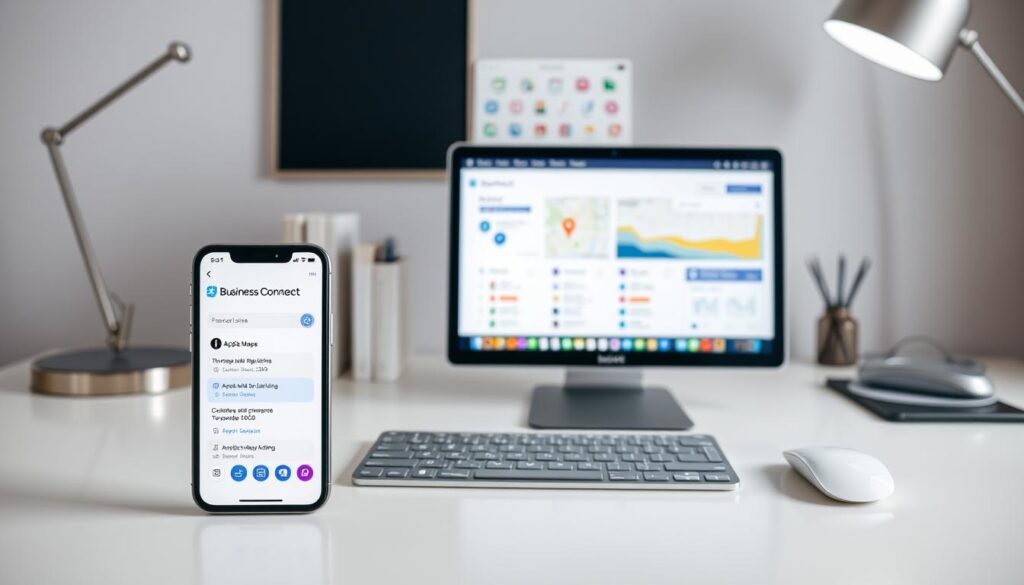
Claiming or Creating Your Apple Place Card
Start by signing into Apple Business Connect with your Apple ID. Search for existing listings using your official business name and address. If your profile appears, claim it. If not, select “Add New Place” to create one.
Verification occurs via phone or email. A unique code confirms ownership within minutes. Once verified, you gain full control over your Place Card.
| Action | Existing Listing | New Listing |
|---|---|---|
| Process | Claim and update details | Enter all data manually |
| Verification Time | 1–2 business days | Instant upon code entry |
| Common Errors | Duplicate entries | Missing categories |
Completing Accurate Business Information
Ensure your name, address, phone number, and hours match other platforms like Google Business. Inconsistent data confuses algorithms and frustrates customers. Choose precise categories—up to three—to clarify your services.
Add professional photos of your storefront, products, or team. Link social media profiles to boost engagement. Use keywords naturally in your description, such as “family-owned bakery” or “24-hour tire repair.”
Regularly audit third-party directories for mismatches. Tools like Moz Local sync data across platforms, strengthening local SEO performance. Profiles with complete, consistent details rank higher in search results.
Best Practices for How to Rank in Apple Maps
Standing out in local search requires more than basic setup—it demands precision. Profiles with polished details and strategic enhancements outperform competitors. Three pillars drive success: data accuracy, visual appeal, and proactive reputation management.
Optimizing Your Business Profile with Accurate Data
Consistency across platforms is non-negotiable. Mismatched addresses or phone numbers reduce trust with customers and algorithms. Verify your business name, hours, and services match directories like Yelp and Google Business Profile.
| Platform | Critical Data Points | Update Frequency |
|---|---|---|
| Apple Business Connect | Address, categories, hours | Real-time |
| Third-Party Directories | Phone number, website URL | Weekly audit |
Enhancing Your Listing with Visuals and Showcases
High-quality photos increase engagement by 35%, according to Apple’s internal data. Upload crisp images of your storefront, popular products, and team. Use Showcases to highlight promotions—like “Free Delivery Fridays” or seasonal specials.
Monitoring Duplicate Listings and Integrating Reviews
Duplicate profiles split your visibility. Use Apple’s “Report an Issue” tool weekly to merge or remove false entries. Sync reviews from Tripadvisor and Yelp—listings with 50+ ratings rank higher in 78% of searches.
A Brooklyn bakery doubled its foot traffic after fixing address inconsistencies and adding menu photos. Regular checks with tools like Local Falcon help maintain momentum. Stay vigilant—local search rewards those who refine their strategy.
Maximizing Customer Engagement and Local SEO
Building trust with local audiences requires more than accurate listings—it demands active engagement. Third-party reviews on platforms like Yelp and Tripadvisor serve as social proof, directly influencing purchasing decisions. Listings with 20+ reviews see 50% more clicks, according to recent industry studies. Responding to feedback publicly shows your commitment to customer satisfaction.
Leveraging Third-Party Reviews for Credibility
Encourage customers to share experiences by embedding review links in receipts or follow-up emails. A simple “Share your thoughts on Yelp” call-to-action can boost visibility. Profiles with diverse ratings (4.0–4.7 stars) often appear more authentic than perfect scores. Sync these reviews to your Apple Business Connect profile using tools like Grade.us for unified credibility.
Integrating Local Keywords and Consistent Citations
Incorporate location-specific phrases like “Vintage Clothing Store in Austin” naturally into your business description. This aligns with how users search for nearby services. Ensure your business listing mirrors details on Google Business and Bing Places—inconsistencies confuse search algorithms.
Tools like BrightLocal automate citation audits, flagging mismatched addresses or phone numbers. For example, a Miami bakery increased organic traffic by 30% after standardizing its name (“Café Dulce” vs. “Cafe Dulce”) across directories. Track progress with Local Falcon to identify visibility gaps in real-time.
“Local SEO isn’t about gaming the system—it’s about clarity and relevance.”
By merging strategic keyword use with consistent citations, businesses create a digital footprint that attracts and retains local customers. A coffee shop in Denver doubled weekend foot traffic within three months using these tactics.
Conclusion
Mastering Apple’s navigation platform positions businesses for success in today’s mobile-first world. With Apple Maps holding the second-largest market share among navigation apps, optimizing your presence connects you with millions of iOS users. Start by claiming your Place Card through Apple Business Connect—ensuring accurate hours, addresses, and categories.
Visuals and reviews matter. High-quality photos and customer feedback boost credibility, while tools like Showcases highlight promotions. A Portland coffee shop increased foot traffic by after refining its listing—proof that local SEO strategies work.
Stay ahead of trends like AR integration and AI-driven personalization. These innovations will reshape how customers find nearby services. Regularly audit your profile using analytics tools and sync data across directories to maintain consistency.
Businesses that adapt now will dominate local search. Update your Apple Maps listing today—it’s the digital storefront modern customers trust first.
FAQ
Why should businesses prioritize Apple Maps for local search?
How does Apple Business Connect differ from Google Business Profile?
What steps ensure a verified Apple Maps listing?
Can duplicate listings hurt my Apple Maps ranking?
How do Showcases enhance Apple Maps visibility?
Do third-party reviews impact Apple Maps rankings?
What role do local keywords play in optimization?
About The Author
