How to Use Google Keyword Planner: A Step-by-Step Guide
Effective digital marketing relies on data-driven decisions, and the right tools make all the difference. The Keyword Planner is a cornerstone for refining SEO and paid advertising strategies. By accessing insights like search volume, competition levels, and performance forecasts, marketers can craft campaigns that resonate with their audience.
This tool updates daily, offering metrics adjusted for seasonal trends. Whether launching a new product or optimizing existing content, understanding monthly search trends and bid estimates helps allocate budgets efficiently. With clicks and impressions forecasts, businesses gain clarity on potential campaign outcomes.
Setting up a Google Ads account is the first step to unlocking these features. From there, users explore keyword suggestions, filter results by relevance, and organize terms into actionable lists. This guide simplifies navigation through the platform’s interface, ensuring even beginners can leverage its full potential.
Key Takeaways
- The tool provides daily-updated data, including search volume and performance forecasts.
- Seasonal adjustments ensure accuracy for year-round campaign planning.
- Metrics like clicks and impressions help predict ad success.
- A Google Ads account is required to access the platform.
- Keyword organization streamlines SEO and ad targeting efforts.
Introduction to Google Keyword Planner
Balancing paid and organic strategies requires access to accurate search behavior metrics. The platform bridges this gap by offering actionable insights for both advertisers and content creators. Its ability to analyze trends and predict performance makes it indispensable for modern marketing teams.
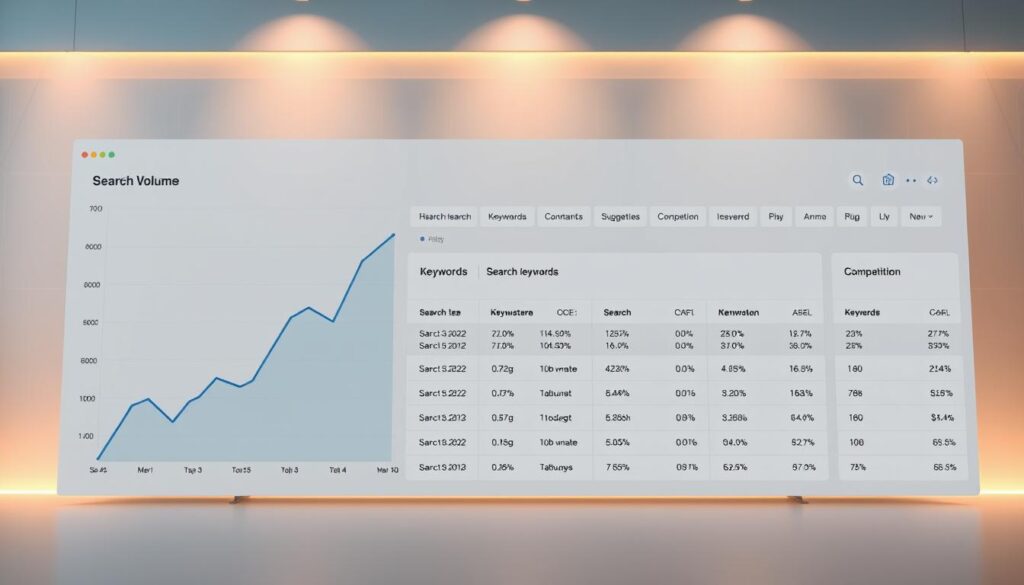
What Is This Tool?
Designed for Google Ads campaigns, this resource helps identify high-potential terms. Users input phrases or URLs to generate keyword ideas tailored to their niche. The system then compiles search volume, competition data, and bid estimates into digestible reports.
Strategic Value for Ads and SEO
Marketers leverage the tool to discover new opportunities across channels. For paid campaigns, it reveals cost-effective targets. Organic efforts benefit from understanding rising search queries before competitors capitalize on them.
| Feature | PPC Use | SEO Use |
|---|---|---|
| Search Volume | Estimate ad visibility | Prioritize content topics |
| Keyword Ideas | Expand ad groups | Identify content gaps |
| Competition Data | Adjust bidding strategy | Target low-competition terms |
By analyzing these metrics, teams create unified strategies. Seasonal adjustments ensure data stays relevant year-round. Whether refining ad copy or optimizing blog posts, the insights drive measurable improvements.
Creating and Optimizing Your Google Ads Account
A well-structured account lays the groundwork for precise campaign analytics and strategic keyword discovery. Proper configuration ensures seamless access to critical features like monthly searches analysis and performance forecasts.
Setting Up Your Account and Billing Information
Begin by visiting the Google Ads homepage and selecting “Start Now.” Enter business details, including location and payment method. Billing verification activates full functionality, allowing access to tools like search volume metrics and bid recommendations.

Unverified accounts face limited data visibility. Confirm your payment details to unlock historical trends and get search forecasts. This step also enables customized reports tailored to your industry’s seasonal patterns.
Navigating to the Keyword Planner Tool
After logging in, locate the wrench icon on the dashboard. Choose “Planning” > “Keyword Planner” from the dropdown. The interface displays two primary options: discover new keywords and analyze existing lists.
First-time users should explore the “Get search volume and forecasts” tab. Input seed terms or product categories to generate data-driven suggestions. Organized accounts with clear campaign structures receive more accurate keyword competition ratings.
Optimizing your profile settings improves forecast reliability. Enable auto-updates for real-time adjustments to monthly searches data. Pair this with regular billing checks to maintain uninterrupted access to advanced features.
Discover New Keywords for Your Business
Identifying high-value search terms is crucial for reaching target audiences effectively. The platform’s discovery features simplify this process, whether you’re refining ad campaigns or brainstorming blog topics. Two methods stand out for generating actionable ideas tailored to your goals.
Using the “Start With Keywords” Option
Enter seed phrases like “organic skincare” to unlock related terms. The system analyzes search patterns and competition levels, filtering out low-potential options. Results prioritize phrases with rising volume and manageable competition, perfect for niche targeting.
For example, a pet store might input “dog toys.” The tool then suggests variations like “durable chew toys” or “eco-friendly puppy accessories.” This approach works best when testing new markets or expanding product lines.
Leveraging the “Start With a Website” Feature
Paste your domain or a competitor’s URL to analyze existing content. The website scanner identifies underutilized terms and content gaps. A bakery’s site might reveal opportunities like “gluten-free birthday cakes” or “vegan pastry delivery.”
Combining both methods yields the most comprehensive list. Pair your core phrase with a relevant URL to uncover long-tail variations. The platform automatically excludes irrelevant matches, focusing on terms that align with your audience’s intent.
- Prioritize high-volume phrases for paid campaigns
- Target low-competition terms for organic content
- Export lists to streamline team workflows
Get Search Volume and Forecasts
Campaign precision hinges on merging historical metrics with predictive analytics. The platform transforms raw numbers into actionable roadmaps, showing how budget allocations influence visibility and engagement.
Uploading Keyword Lists and CSV Files
Export your existing terms into a CSV template for bulk analysis. Navigate to the forecast tab and select “Upload File.” The system processes lists within minutes, displaying metrics like average bid ranges and projected searches per month.
Structured files yield clearer insights. Organize columns as:
- Keyword phrase
- Target location
- Language preferences
Interpreting Forecast Data and Trends
Forecast tables reveal three core metrics: estimated impressions, clicks, and conversions. High impression counts with low clicks signal mismatched ad copy. Adjust bid strategies or refine targeting to bridge gaps.
Seasonal spikes appear as upward trends in the data. For example, a 40% rise in “holiday gift baskets” searches every November. Shift budgets toward high-potential periods while maintaining baseline campaigns year-round.
“Forecasts aren’t crystal balls—they’re compasses. Use them to navigate, not predict exact outcomes.”
Test different date ranges to compare quarterly performance. A/B testing bid amounts against forecasted clicks helps identify cost-efficient thresholds. Regularly update lists to reflect shifting consumer language and emerging niches.
Filtering and Sorting Keyword Results
Streamlining keyword lists separates impactful campaigns from cluttered ones. Precision tools like advanced filters and match types help prioritize terms that align with business goals. Start by narrowing options based on search volume, competition tiers, and bid ranges to focus resources effectively.
Applying Advanced Filters and Match Types
Activate filters to exclude low-opportunity phrases. For instance, set minimum monthly searches to 500 and competition levels to “low” or “medium.” Pair this with match type adjustments:
- Broad: Captures variations (e.g., “running shoes” includes “best trail runners”)
- Phrase: Targets exact sequences (“organic coffee beans”)
- Exact: Locks in specific queries [luxury yoga mat]
Export refined lists to compare performance across campaigns. This approach works well for keyword research strategies aiming to balance reach and relevance.
Understanding Competition and Bid Estimates
Bid ranges reflect advertiser demand, not organic difficulty. A $5–$10 bid for “cloud storage solutions” signals high commercial intent. Pair this data with search volume to identify niches where costs align with ROI goals.
Sort results by “Top of page bid” to gauge budget needs. High bids often correlate with conversions, making them ideal for product launches. Lower bids suit awareness-building content or seasonal promotions.
“Filters turn noise into direction—use them to spotlight what moves the needle.”
Best Practices: How to Use Google Keyword Planner
Mastering keyword optimization requires consistent refinement of strategies. Weekly reviews during market shifts ensure tactics stay aligned with evolving search patterns. Combining metrics from paid and organic channels creates a unified approach for sustainable growth.
Refining SEO Through Data-Driven Adjustments
Prioritize terms with rising search volume and manageable competition. For example, a “list” of 50-100 phrases allows A/B testing content variations. Tools reveal seasonal range fluctuations—like 30% higher searches for “home workouts” every January.
- Update content quarterly using fresh results
- Merge high-performing ads data with organic rankings
- Filter out terms with declining relevance
Building Content That Converts
Analyze forecasted clicks to identify underserved topics. A skincare brand might discover “non-comedogenic moisturizers” has 10K monthly searches but low competition. Create pillar content around these opportunities, then support it with targeted campaigns.
| Metric | SEO Action | PPC Action |
|---|---|---|
| High Volume | Develop comprehensive guides | Launch branded campaigns |
| Low Competition | Target long-tail phrases | Test low-bid experiments |
“Treat keywords as living data—regular pruning and nurturing yield the healthiest campaigns.”
Cross-reference organic rankings with paid conversion rates. Phrases driving both clicks and sales deserve increased budget allocation. Adjust quarterly based on performance range shifts to maintain momentum.
Organizing Keywords into Ad Groups
Structured keyword grouping transforms scattered data into actionable campaigns. Proper organization enhances ad relevance, streamlines budgets, and aligns phrases with audience intent. The platform offers two approaches: automated sorting and hands-on customization.
Utilizing the Auto-Organize Feature
The tools built-in automation creates clusters based on semantic relationships. After generating keyword suggestions, select “Organize into ad groups.” Algorithms analyze search intent and historical performance to group terms like “luxury apartments in Miami” with “high-end condos near South Beach.”
This method saves hours while maintaining logical coherence. Advertisers targeting multiple locations benefit from geo-specific clusters. Auto-generated groups often achieve 15-20% higher click-through rates due to tighter thematic alignment.
Strategies for Manual Keyword Grouping
For specialized campaigns, manual sorting provides granular control. Create groups around:
- Product categories (e.g., winter boots vs. sandals)
- Service tiers (basic, premium, enterprise)
- Audience pain points (“budget-friendly” vs. “professional-grade”)
Combine impressions data with bid estimates to prioritize high-impact clusters. A travel agency might separate “family vacation packages” from “solo adventure trips,” each with tailored ad copy. This approach reduces wasted spend by 30-40% compared to broad targeting.
Well-organized groups improve Quality Score metrics, lowering CPCs. They also simplify A/B testing—compare performance between automated and manual clusters to refine strategies. Update groups quarterly to reflect shifting search trends and campaign objectives.
Advanced Strategies and GKP Hacks
Elevating your search strategy demands creative approaches that outperform standard tactics. Three advanced methods help uncover hidden opportunities competitors often miss.
Mining Competitor URLs for Gold
Analyze rival business websites to discover their best-performing terms. Enter their domain into the platform to see which phrases drive traffic. A fitness brand might find “postpartum workout plans” through a competitor’s site—a niche they hadn’t considered.
Fusion Keyword Analysis
Merge lists from different campaigns or time periods. Combine:
- Product launch terms
- Seasonal queries
- Customer service keywords
This reveals patterns like rising demand for “sustainable packaging” across multiple lists. One e-commerce business increased conversions by 22% using this method.
Dynamic Seasonal Forecasting
Adjust predictions using historical time data. For example:
| Season | Adjustment | Result |
|---|---|---|
| Holidays | +40% budget | 28% more clicks |
| Off-Peak | Focus on evergreen content | 15% organic growth |
“Competitor analysis isn’t stealing—it’s learning the language of your market.”
Update forecasts quarterly using the platform’s trend reports. A travel site shifted ad spend from “beach vacations” to “road trip gear” during spring, boosting ROI by 34%.
Practical tip: Repurpose insights into an article series. One software company turned merged keyword data into 12 blog posts, tripling organic traffic in six months.
Conclusion
Strategic keyword research bridges the gap between paid campaigns and organic growth. This platform’s ability to generate estimates, forecast clicks, and discover new keywords makes it essential for modern marketers. Proper account setup, precise data interpretation, and smart filtering techniques form the foundation of impactful campaigns.
Leverage filters to refine search volume and competition data. Analyze competitor websites to uncover gaps in your strategy. Regularly update lists to reflect evolving trends—seasonal shifts or emerging niches demand flexibility.
While designed for paid ads, the tool’s insights boost SEO efforts. Forecast clicks and impressions to prioritize high-potential content. Pair bid estimates with low-competition terms for balanced budget allocation.
Successful strategies blend basics with advanced tactics. Test automated grouping against manual clusters. Refine ad copy using historical clicks data. Adapt quarterly to maintain relevance in shifting markets.
Ready to elevate your approach? Explore this comprehensive guide for actionable steps to unify SEO and paid efforts. Start optimizing today—your audience is searching.
FAQ
Do I need a Google Ads account to access Keyword Planner?
Can I analyze competitor websites with this tool?
How accurate are the monthly search volume forecasts?
What’s the difference between "Avg. Monthly Searches" and "Competition" levels?
Can I export keyword lists for SEO content planning?
How do match types affect keyword suggestions?
Does Keyword Planner help group terms into ad groups?
Why do some keywords show "—" instead of data?
About The Author
