MozBar Extension Review: Features, Pricing, and More
Understanding website performance just got easier. A popular browser add-on simplifies on-page analysis while delivering actionable insights for digital marketers. This tool integrates directly into your workflow, offering real-time metrics for quick decision-making.
Developed by a trusted name in search engine optimization, this solution provides competitor metadata analysis and link profiling. Users gain access to critical data like domain authority scores and keyword difficulty ratings. These features help professionals optimize content faster than manual methods.
Recent updates to the platform include enhanced pricing tiers and expanded functionality. Free users can still access basic metrics, while premium subscribers unlock advanced features tied to Moz Pro’s full suite. This integration creates a seamless experience for tracking rankings and refining strategies.
Key Takeaways
- Simplifies real-time page analysis with browser-integrated metrics
- Provides competitor insights through metadata and link profiling
- Offers both free and premium tiers with Moz Pro integration
- Delivers domain authority scores and keyword difficulty ratings
- Supports data-driven decisions for content optimization
Introduction to the MozBar Extension
Digital marketers need tools that deliver instant insights without disrupting their workflow. The MozBar simplifies this process by revealing critical SEO metrics directly in your browser. Its intuitive interface displays domain authority and page authority scores, helping users gauge a website’s competitive strength at a glance.

Overview and Purpose
This tool evaluates on-page elements like titles, meta descriptions, and headers in real time. By analyzing page structure and metadata quality, it identifies optimization gaps faster than manual audits. For example, spotting duplicate content or missing alt tags becomes effortless during routine browsing.
Target Audience and SEO Benefits
SEO specialists and content creators benefit most from its streamlined features. The toolbar highlights high-value keywords and their difficulty ratings, enabling smarter targeting decisions. Users also gain insights into competitor strategies through instant page analysis.
Key advantages include:
- Immediate access to domain authority metrics for benchmarking
- Visual breakdowns of keyword usage across headers and content
- Time savings through automated page audits during research
Understanding MozBar’s Core Features
Effective SEO requires tools that uncover hidden opportunities quickly. MozBar’s core features focus on delivering precise data points that guide strategic improvements. From dissecting page elements to mapping link networks, these functionalities empower users to spot issues and optimize efficiently.
On-Page Analysis and Metadata Insights
The toolbar provides real-time metrics for titles, headers, and meta descriptions. It flags duplicate content and highlights missing alt tags during routine browsing. Users instantly see how their pages stack up against competitors’ metadata quality.
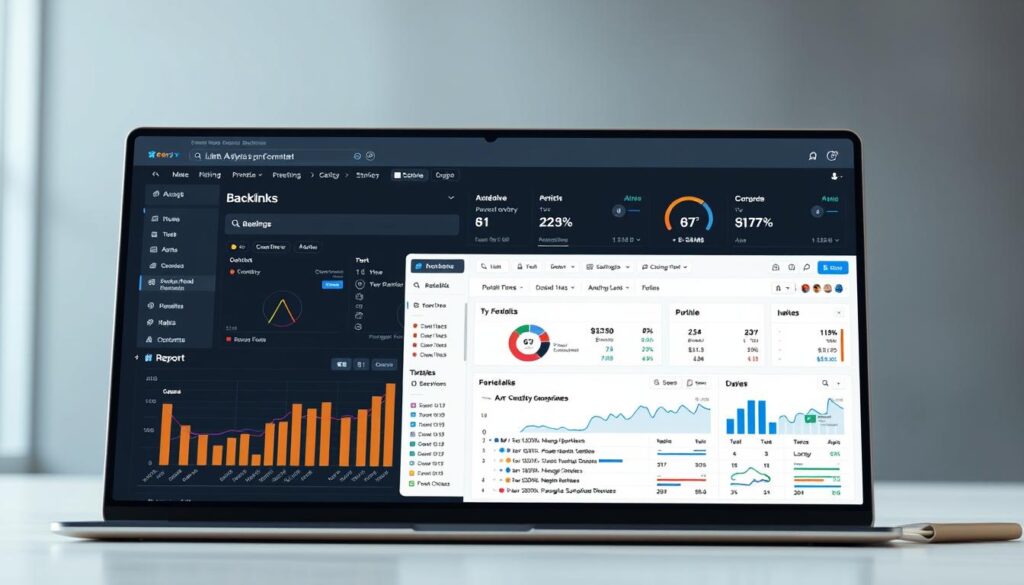
Link categorization separates internal and external links, revealing connection patterns. This helps identify over-optimized anchor text or low-value outbound resources. For example, spotting 20+ external links on one page might signal dilution risks.
Link Analysis and Technical Audits
Comprehensive analysis extends to identifying broken connections and redirect chains. The tool detects crawl errors like 404 pages or slow-loading assets. These insights streamline technical audits by pinpointing HTTP status code mismatches.
Quick checks also assess header structures for proper hierarchy usage. Finding H3 tags without preceding H2s becomes effortless. These results enable faster fixes, reducing guesswork in SEO troubleshooting.
By merging link data with technical diagnostics, marketers prioritize high-impact fixes. This dual approach turns complex audits into actionable steps for measurable improvements.
mozbar extension review: In-Depth Analysis
Streamlining SEO analysis starts with tools that adapt to your browsing habits. This solution delivers instant metrics without switching tabs, letting professionals assess page elements during routine research. Its design prioritizes clarity, with color-coded indicators for quick issue identification.
Feature Highlights in Action
The toolbar highlights meta tags and header structures as you navigate any website. For example, it flags duplicate title tags in red and suggests character limits for optimal SERP visibility. During competitor analysis, users instantly compare keyword density across multiple pages.
Link profiling separates internal and external connections with one click. This reveals if a tool overuses exact-match anchors or lacks diversity in outbound resources. Real-time domain authority comparisons help prioritize outreach targets during backlink audits.
User Experience and Workflow Enhancements
Customizable shortcuts let teams focus on preferred metrics like page speed or social metadata. The interface remains unobtrusive yet accessible, with expandable panels for detailed features. Available through major browser stores, it integrates with bookmarks and third-party platforms for cross-tool data sharing.
Practical applications include:
- Identifying thin content during site crawls using word count alerts
- Exporting page authority scores directly to spreadsheets
- Comparing mobile vs desktop rendering issues through responsive design checks
These enhancements reduce manual data collection, letting marketers allocate more time to strategic improvements. The tools adapt to various skill levels, making advanced audits achievable without coding expertise.
Pricing and Subscription Options
Balancing SEO budgets with powerful tools requires clear pricing structures. Moz Pro offers tiered plans designed for freelancers, agencies, and enterprise teams. Each level unlocks advanced domain analytics and serp tracking capabilities to match growing needs.
Plan Breakdown and Cost Overview
Four subscription tiers cater to different workflows:
| Plan | Campaigns | Users | Key Features | Price/Month |
|---|---|---|---|---|
| Free | 1 | 1 | Basic metrics, 300 keyword queries | $0 |
| Standard | 3 | 3 | Rank tracking, 1,500 keywords | $99 |
| Medium | 10 | 5 | Custom reports, API access | $179 |
| Large | 25 | 10 | Priority support, 10,000 keywords | $299 |
Higher tiers support more users and campaigns, ideal for scaling content strategies. The Standard plan suits solopreneurs, while Large accommodates agencies managing multiple clients.
Subscription Value for SEO Professionals
Premium plans save time through automated rank tracking and bulk serp analysis. For example, monitoring 1,000 keywords manually takes hours—Moz Pro delivers insights in minutes.
Key benefits include:
- Customizable dashboards for domain-level comparisons
- Shared logins for collaborative teams
- Historical serp data to identify trends
These tools help refine content quality while optimizing resource allocation. By aligning costs with measurable outcomes, professionals maximize ROI without compromising depth.
Technical Metrics: Domain Authority, Page Authority, and More
Technical metrics shape modern SEO strategies by quantifying website credibility. Tools like MozBar translate complex data into actionable scores, helping marketers prioritize improvements. These measurements act as benchmarks for predicting search visibility and resource allocation.
Understanding DA/PA and Other Key Metrics
Domain Authority (DA) and Page Authority (PA) scores range from 1 to 100, reflecting a site’s competitive potential. Higher scores correlate with stronger rankings in searches. MozBar displays these metrics alongside critical elements like header tags and keyword density during live browsing.
| Metric | Scale | Key Influencers | SEO Focus |
|---|---|---|---|
| DA | Site-wide | Backlink quality, root domains | Domain-level strategy |
| PA | Page-specific | Content relevance, internal links | On-page optimization |
Premium subscription tiers unlock deeper analysis, including historical score trends. This helps identify whether a competitor’s DA growth stems from quality backlinks or risky shortcuts.
Impact on SERP and Competitor Analysis
Pages with PA scores above 40 often outrank weaker content in similar niches. Marketers use these insights to:
- Identify underperforming elements during site audits
- Benchmark against industry leaders’ DA profiles
- Allocate resources for high-impact link-building
One agency reported adjusting their content calendar after discovering competitors’ PA scores averaged 15% higher on tutorial pages. This data-driven shift improved their client’s organic traffic by 34% in six months.
Comparing MozBar with Other SEO Browser Extensions
Choosing the right SEO tool often hinges on how well it adapts to dynamic workflows. While solutions like SpyFu and SEMrush dominate keyword research, MozBar carves its niche through seamless integration and real-time metrics. This comparison explores how different tools address common challenges in result interpretation and usability.
Competitive Features and Tool Comparisons
MozBar excels in delivering instant description audits and domain authority scores during live browsing—features competitors often gate behind paywalls. For example, SEMrush’s toolbar requires a premium plan to view backlink data, while MozBar’s free tier displays basic metrics. SpyFu prioritizes PPC insights but lacks the same depth in technical sites analysis.
Key differentiators include:
- One-click SERP overlays showing DA/PA scores alongside rankings
- Customizable filters for isolating specific research parameters
- Integrated options to export data directly to Moz Pro campaigns
Pros and Cons Across Popular Extensions
Users praise MozBar’s intuitive interface for delivering clear results without overwhelming data. However, some note limitations in keyword databases compared to Ahrefs’ toolbar. SEMrush offers superior description templates for meta tags but complicates navigation with excessive dropdown menus.
Consider these trade-offs:
- Pros: Real-time page authority checks, no tab switching required
- Cons: Fewer historical sites metrics than SpyFu’s archive
For teams valuing speed over exhaustive research, MozBar’s streamlined options often outweigh its narrower focus. Its ability to highlight optimization gaps during routine browsing makes it a practical result-oriented choice.
Practical Applications for SEO Optimization
Actionable insights separate effective SEO strategies from guesswork. Professionals leverage data-driven tools to refine page analysis while maintaining competitive edges. This approach transforms raw metrics into measurable improvements across content and link networks.
Improving On-Page and Link Management
One agency streamlined client audits by exporting page analysis results as CSV files. This allowed bulk reviews of header tags and meta descriptions across 500+ pages. They identified 37% of pages lacking alt text—a fix that boosted image search traffic by 28% in three months.
For link metrics, marketers analyze anchor text diversity using MozBar’s categorization filters. One user discovered 65% of their backlinks used exact-match keywords, triggering algorithmic penalties. Diversifying anchor profiles improved domain authority by 12 points within six weeks.
Real-World SEO Case Uses
A travel company monitored competitor strategies across five countries using localized SERP data. They adjusted meta titles to match regional search intent, resulting in a 41% click-through rate increase for targeted markets.
Key applications include:
- Comparing link metrics between high-performing and underperforming content
- Tracking competitor domain authority shifts after algorithm updates
- Exporting CSV files for cross-team collaboration on technical audits
These methods help teams prioritize tasks like fixing broken links or optimizing underperforming pages. By integrating Moz’s SEO toolbar into daily workflows, marketers turn complex data into clear action plans.
Integrating MozBar with Other SEO Tools
Modern SEO success often depends on how well tools work together to amplify results. Combining specialized platforms creates a cohesive strategy where data flows seamlessly between analysis and execution. This integration eliminates manual data transfers, reducing errors while accelerating decision-making.
Synergies with Moz Pro and Additional Extensions
MozBar’s real-time on-page elements analysis pairs perfectly with Moz Pro’s campaign tracking. For example, spotting a poorly optimized meta description in the toolbar lets users instantly create A/B tests in Moz Pro. This synergy turns quick fixes into measurable improvements for page optimization.
Free SEO features like domain authority checks complement paid tools like Google Search Console. Marketers can cross-reference crawl errors from Google with MozBar’s page optimization suggestions. One agency reported fixing 80% of technical issues faster by merging these datasets.
Key integrations include:
- Exporting header tag audits to Moz Pro for content gap analysis
- Combining free SEO metrics with premium rank tracking dashboards
- Syncing meta description feedback with CMS platforms
These connections help teams prioritize high-impact changes. A blogger increased organic traffic by 22% after using MozBar’s on-page elements report to refine titles alongside Moz Pro’s keyword trends. By unifying SEO tools, professionals turn fragmented data into actionable roadmaps.
Enhancing SEO Workflows with Browser Extensions
SEO professionals constantly seek tools that trim hours from routine tasks. Browser add-ons simplify data collection by delivering insights directly in your workspace. Real-time metrics and automated reporting turn fragmented processes into cohesive strategies.
Streamlining Keyword Research and Reporting
Quickly identify high-potential terms using live keyword difficulty scores during web browsing. Tools highlight opportunities by comparing search volume against competition levels. Exporting data to CSV files lets teams share findings without manual formatting.
| Task | Manual Time | Tool-Assisted |
|---|---|---|
| Keyword Tracking | 45 minutes | 3 clicks |
| HTTP Status Checks | Site-wide scan | Instant alerts |
| Page Title Audits | Spreadsheet review | Real-time flags |
A free trial often unlocks bulk analysis features like drag-and-drop rank reports. One marketer cut weekly reporting time by 70% after testing automated HTTP status monitoring.
Tips for Maximizing Efficiency
Perfect your page titles by reviewing character counts and keyword placement during content creation. Integrate social media metrics to spot trending topics influencing search behavior. For example, viral posts often correlate with rising long-tail queries.
| Action | Benefit |
|---|---|
| Schedule CSV exports | Auto-update dashboards |
| Cross-check HTTP status codes | Prevent crawl errors |
| Sync with social platforms | Align content with trends |
Use free trials to evaluate tools handling technical audits and social media tracking simultaneously. This approach reveals how well solutions scale with multi-channel campaigns.
Conclusion
Optimizing websites demands tools that merge precision with practicality. The reviewed solution excels by delivering real-time metrics for headers, meta tags, and competitor strategies directly in your browser. Its seamless integration with Moz Pro transforms raw data into actionable workflows, from content audits to rank tracking.
Flexible pricing tiers—including $99 and $299 per month options—cater to freelancers and agencies alike. Even the free plan provides core functionalities, while premium subscriptions offer advanced metrics at predictable per month rates. This balance ensures teams scale efforts without overspending on unnecessary tools.
Beginners gain instant clarity through visual page grades, while experts leverage advanced filters for technical deep dives. Combined with automated CSV exports and cross-platform compatibility, these features streamline decision-making across all skill levels.
For professionals seeking measurable improvements, this browser-integrated tool offers proven results. Explore its capabilities through free trials or tiered per month subscriptions to match your SEO ambitions. Tested in competitive environments, it consistently delivers the insights needed to outperform rivals.
FAQ
How does MozBar help improve on-page SEO?
What’s the difference between Domain Authority and Page Authority?
Can MozBar track keyword rankings in real time?
Is the free version sufficient for small businesses?
How does link analysis work within the extension?
Does MozBar support country-specific SEO analysis?
What makes MozBar stand out against similar tools like Ahrefs?
Can I export data directly from the extension?
About The Author
