How to Build Internal Links in New Posts Effectively
Connecting pages within your website isn’t just about navigation—it’s a powerful SEO tool. These clickable connections, known as internal links, help search engines understand your content’s structure while guiding readers to related topics. For example, linking the phrase “content strategy tips” to a relevant article creates a seamless user experience.
A well-planned linking strategy boosts rankings by distributing authority across your site. It also keeps visitors engaged longer, reducing bounce rates. This guide focuses on actionable methods to create meaningful connections between your posts without overwhelming readers.
You’ll discover how to prioritize high-value pages, use natural anchor text, and maintain balance. Whether you’re refining existing content or publishing new articles, these techniques ensure every link serves a purpose. Let’s explore practical workflows to enhance both SEO performance and user satisfaction.
Key Takeaways
- Internal links improve site navigation and help search engines crawl content efficiently.
- Strategic linking distributes authority to priority pages, boosting their rankings.
- Anchor text should be descriptive and relevant to the linked page’s topic.
- Balancing link quantity prevents over-optimization and maintains user focus.
- Regularly auditing links ensures they remain functional and contextually appropriate.
Understanding Internal Links for Better SEO
Internal links act as the digital pathways guiding both users and search engines through a website’s content. These connections between pages on your site help establish content relationships while improving discoverability.

Defining Internal Links
Internal links connect pages within the same domain. For example, a blog post about content creation best practices might link to another article explaining keyword research methods. This creates thematic clusters that:
- Help visitors find related information
- Signal content relevance to search engines
- Distribute authority across your site
How They Aid Search Engines
Search engine crawlers rely on internal links to map website structures. Contextual connections between pages allow algorithms to:
| Feature | Internal Links | External Links |
|---|---|---|
| Purpose | Guide users & crawlers | Reference external sources |
| SEO Impact | Strengthens site architecture | Builds third-party credibility |
| Control | Full ownership | Dependent on other sites |
Descriptive anchor text like “email marketing templates” instead of generic “click here” phrases helps search engines understand page context. A strategic approach ensures links appear natural while reinforcing your site’s core topics.
Why Internal Linking Matters
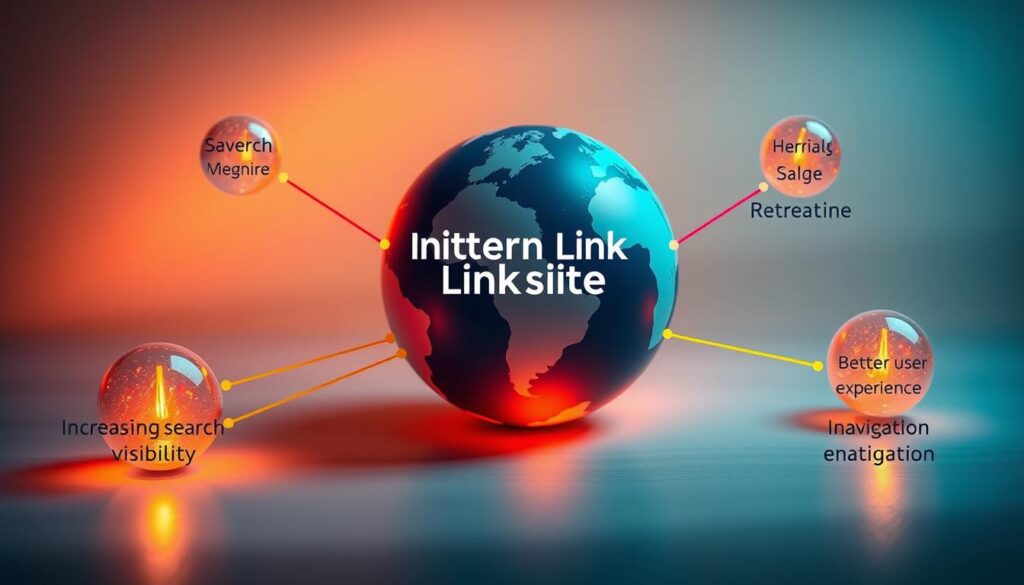
Strategic connections between your website’s pages unlock dual benefits for visibility and usability. They act like road signs for crawlers while creating shortcuts for readers to explore deeper content.
Improving Search Engine Crawling
Search engines rely on links to discover and prioritize content. Internal linking acts as a map, guiding crawlers to less visible pages like tutorials or case studies. This prevents “orphaned” pages from being overlooked.
Contextual links also transfer authority across your site. A product review linking to a comparison guide shares ranking power, boosting both pages’ relevance. Websites with clear linking structures often rank faster for competitive keywords.
Enhancing User Experience
Visitors stay longer when they find related content easily. Linking a blog post about social media trends to a downloadable checklist encourages exploration. This reduces bounce rates by 20-30% in optimized sites.
Tables below show how structured linking benefits both crawlers and users:
| Search Engine Benefits | User Benefits |
|---|---|
| Faster discovery of new pages | Simpler navigation |
| Stronger topic authority signals | Access to supporting resources |
| Balanced PageRank distribution | Longer session durations |
Top-performing articles often link to 3-5 core pages per 1,000 words. This balance keeps readers engaged without overwhelming them. A travel blog, for example, might connect a destination guide to packing tips and hotel reviews—creating a seamless journey.
The Role of Anchor Text in Internal Linking
Anchor text transforms ordinary phrases into navigational signposts. These clickable words tell users and search engines what to expect from linked content. Unlike generic terms like “read more,” descriptive text such as “email marketing templates” creates clarity and relevance.
Crafting Purposeful Link Labels
Effective anchor text balances specificity with natural language. A study by Yoast identifies eight key types:
| Type | Example | Use Case |
|---|---|---|
| Exact Match | “SEO checklist” | Targeting precise keywords |
| Partial Match | “free templates” | Broad relevance |
| Branded | “HubSpot CRM” | Product references |
| Naked URL | “www.example.com” | Direct citations |
Overusing exact-match phrases risks appearing manipulative. Mixing types maintains organic flow while strengthening contextual relevance. For instance, linking “content calendar tools” to a planning guide helps search engines map relationships between pages.
Strategic anchor text also improves user experience. Visitors spend 40% longer on sites with clear, topic-aligned links. Prioritize phrases that answer implicit questions, like linking “best budget cameras” to a buyer’s guide rather than generic terms.
Developing a Winning Internal Linking Strategy
A cohesive internal linking strategy turns scattered pages into a connected knowledge hub. It starts by pinpointing which articles drive conversions or answer critical questions. Tools like Google Analytics reveal high-performing pages through metrics like time-on-page and bounce rates.
Identifying Valuable Pages
Prioritize pages that:
- Rank for competitive keywords but need authority boosts
- Show high engagement (low exit rates, long session durations)
- Serve as cornerstone resources (guides, tutorials, product pages)
For example, an e-commerce site might focus on linking to product comparison charts from blog posts. This transfers authority while guiding readers toward purchase decisions.
Creating Topical Clusters
Group related content around central themes. A “content marketing” hub could link to articles about SEO, social media, and analytics. This structure, as Semrush’s guide emphasizes, strengthens topical relevance for search engines.
Update older posts with links to newer cluster content. A 2023 case study shows sites using this approach saw 15-25% more organic traffic within six months. Regularly audit clusters to remove broken links and refresh anchor text.
How to Build Internal Links in New Posts
Streamlining connections between articles requires a repeatable system. This workflow ensures every piece of content becomes an integrated part of your site’s architecture from day one.
Step-by-Step Workflow for Effective Linking
- Identify Link Opportunities During Drafting
Highlight key concepts in your outline where existing articles add value. For instance, a post about video editing software might connect to a guide on rendering speeds. - Map to Evergreen Resources
Use your CMS’s search function to find cornerstone content. Tools like Ahrefs’ Site Audit help locate underlinked pages needing traffic boosts. - Anchor Placement Strategy
Insert 2-3 contextual connections within the first 300 words. Avoid clustering links in footers or sidebars—search engines prioritize body text relevance.
After publishing, update 3-5 older posts with links to your new article. A cooking blog could connect a “keto meal prep” guide to recent recipes, creating reciprocal pathways.
| Manual Approach | Tool-Assisted Method |
|---|---|
| Review sitemap weekly | Automated backlink checkers |
| Spreadsheet tracking | AI content audits |
| Editorial calendar notes | Internal link mapping plugins |
“Linking isn’t a one-time task—it’s a content lifecycle process. Schedule monthly reviews to refresh connections as your library grows.”
Track engagement metrics for linked pages. Pages receiving consistent connections often see 18-22% higher organic visibility within 90 days. Prioritize content clusters over isolated links to reinforce topical authority.
Linking for Hierarchical Site Structure
A website’s architecture resembles a family tree, with pages organized into parent categories, child subpages, and sibling content. This structure helps visitors navigate complex topics while signaling content relationships to search engines.
Roles in Website Hierarchy
Parent pages act as category hubs, like “Digital Marketing Guides.” Child pages dive into specifics, such as “Email Campaign Templates.” Sibling pages cover related subtopics—for example, “Social Media Scheduling Tools” alongside email content.
Linking these tiers creates logical pathways. A parent page might connect to three child articles, while siblings reference each other. This approach:
- Guides users through layered information
- Distributes authority from high-traffic pages
- Strengthens topical relevance signals
| Linking Type | Example | SEO Benefit |
|---|---|---|
| Parent → Child | Homepage → Product Category | Boosts subpage rankings |
| Child → Parent | Blog Post → Resource Hub | Strengthens hub authority |
| Sibling → Sibling | Tutorial A → Tutorial B | Increases time-on-site |
E-commerce sites often excel here. A parent “Outdoor Gear” page links to child pages for tents, backpacks, and hiking boots. Sibling pages about waterproofing or size charts connect horizontally, creating a self-contained ecosystem.
“Hierarchical linking turns isolated pages into interconnected knowledge networks. It’s about creating roads, not dead-ends.”
Balance equity by linking between different site sections. A blog article about “SEO Trends” might connect to a services page, ensuring authority flows beyond single categories. Regular audits prevent over-linking to specific pages while maintaining structural clarity.
Tools for Effective Internal Linking
Maintaining strong connections between your content requires more than manual effort—specialized tools streamline the process. These platforms automate discovery of linking opportunities while ensuring structural integrity across your site.
Overview of Internal Linking Tools
LinkWhisper scans your entire website to suggest relevant connections as you write. It identifies orphaned pages and recommends anchor text variations based on target keywords. For WordPress users, Yoast SEO Premium provides real-time internal linking suggestions during content creation, aligning with your chosen focus phrases.
Key features across top tools:
- Automated audits of existing link structures
- Visual maps showing page relationships
- Broken link detection and redirect management
Managing and Fixing Broken Links
Broken Link Checker monitors your site 24/7, flagging dead connections that harm user experience and crawl efficiency. For enterprise sites, Ahrefs’ Site Audit tool tracks both internal and external link health while prioritizing fixes based on severity.
Best practices for maintenance:
- Run monthly scans using automated tools
- Replace broken links with updated URLs or archive pages
- Monitor redirect chains exceeding three hops
Sites using these strategies report 30-40% fewer crawl errors within six months. Regular maintenance preserves equity flow between pages while keeping search engine crawlers engaged with fresh content paths.
Advanced Techniques for Internal Link Optimization
Elevating your site’s potential requires moving beyond basic connections. Advanced strategies focus on user behavior patterns and authority distribution. Analyze metrics like scroll depth and click heatmaps to identify which links engage visitors most. Pages with 60%+ scroll rates often benefit from additional contextual connections.
Re-optimize anchor texts quarterly using performance data. For example, if “content calendar templates” receives 3x more clicks than “planning tools,” update older articles with high-performing phrases. This approach aligns with Google’s E-E-A-T guidelines by prioritizing user-proven relevance.
| Strategy | Implementation | Impact |
|---|---|---|
| Engagement-Driven Links | Add links near high-interaction content blocks | +25% time-on-page |
| Authority Stacking | Link pages with strong backlinks to newer content | 15% ranking boost |
| Dynamic Anchors | Update labels based on CTR data | 12% higher conversions |
Prioritize pages receiving quality external links when building internal connections. A case study showed linking a pillar article with 50+ backlinks to three cluster posts increased their organic traffic by 38% in 45 days.
Tools like Screaming Frog and Botify automate pattern analysis. They flag underlinked pages and suggest placements using semantic relationships. Pair these with monthly manual reviews of your top 20 performing articles to maintain strategic alignment.
Examples of Successful Internal Linking Strategies
Proven linking approaches drive measurable results. These real-world examples show how websites transformed their SEO performance through strategic connections.
Case Study 1: Food Blog Traffic Surge
A recipe site restructured 150 articles into thematic clusters around meal types. Linking breakfast ideas to lunch guides created circular navigation. Organic traffic jumped 62% in four months, with 12 recipes reaching page one rankings.
Case Study 2: Tech Site Authority Boost
An AI tools directory implemented pillar linking between product reviews and tutorial pages. They added 80+ contextual connections using varied anchor texts like “machine learning platforms” and “API integration guides.” Domain authority rose from 48 to 61 within a year.
| Strategy | Implementation | Result |
|---|---|---|
| E-commerce Cross-Linking | Connected product pages to buying guides | 22% conversion increase |
| News Site Updates | Linked breaking stories to evergreen analyses | 45% longer session times |
A travel publisher saw 33% more newsletter signups after adding contextual links between destination guides and packing checklists. Their “Best Hiking Gear” article rose from position 14 to 3 by receiving 18 internal connections from related posts.
“Linking older high-traffic articles to new content gave us instant visibility. One guide gained 900 monthly visitors through strategic connections alone.”
These examples demonstrate that focused linking strategy adjustments create compounding SEO benefits. Prioritizing relevance over quantity consistently delivers ranking improvements and user engagement gains.
Monitoring and Measuring Link Performance
Tracking the impact of your website’s connections ensures they deliver value. Analytics tools reveal which internal links engage visitors and strengthen SEO. Platforms like Google Search Console highlight click patterns, while Yoast SEO tracks on-page metrics.
Essential Metrics for Optimization
Focus on three core indicators:
- Click-through rate (CTR): Shows how often users follow links
- Bounce rate: Indicates if visitors leave after one page
- Time on page: Measures content engagement depth
Google Search Console’s “Links” report identifies poorly performing connections. Pages with CTR below 1% often need anchor text adjustments. A tech blog improved engagement by 27% after revising generic phrases like “read more” to specific terms like “Python automation scripts.”
| Metric | Before Optimization | After Optimization |
|---|---|---|
| Average CTR | 0.8% | 2.1% |
| Bounce Rate | 68% | 52% |
| Pages/Session | 1.4 | 2.7 |
Turning Data Into Action
Monthly audits using a step-by-step internal linking audit guide maintain structural integrity. Remove links from low-traffic pages to important pages and redistribute authority. One publisher increased organic visibility by 19% after redirecting 32 underperforming connections to trending articles.
Prioritize pages showing steady traffic growth in analytics. Tools like SEMrush’s Site Audit automatically flag broken links and orphaned content. Sites updating their strategy quarterly see 35% faster crawl rates compared to annual reviews.
Conclusion
Strategic website navigation goes beyond menus—it’s about creating value through connections. Properly structured internal links strengthen SEO by helping search engines map relationships between your pages. They also guide visitors to relevant content, boosting engagement and reducing bounce rates.
This guide outlined actionable steps: planning connections during content creation, using descriptive anchor text, and reinforcing site hierarchies. Tools like strategic internal linking frameworks simplify implementation while maintaining balance.
Prioritize pages that drive conversions or answer critical questions. Distribute authority evenly across your site by linking high-traffic articles to newer posts. Regular audits ensure connections remain functional and contextually relevant.
Start optimizing today. Websites with intentional linking structures see 30-50% improvements in organic visibility within months. Consistent effort transforms isolated posts into cohesive ecosystems where every link fuels growth.
FAQ
What is the purpose of internal links for SEO?
How does anchor text impact internal linking success?
What tools simplify internal link management?
Why prioritize linking to cornerstone content?
How do internal links improve user experience?
What’s the ideal number of internal links per page?
How do I fix broken internal links efficiently?
Can internal linking compete with external links?
What metrics track internal linking performance?
How do topical clusters strengthen internal linking?
About The Author
